Numba in the Browser: Unlocking a New Scientific Python Stack in JupyterLite
A JIT compiler—and its ecosystem—running entirely in the Web browser
Scientists, students, and engineers use Jupyter notebooks to explore ideas interactively: write a small piece of code, execute it, inspect the result, and continue from there. Traditionally, every such notebook requires a Python process running on a server or on the user's machine.
JupyterLite changes this model. Its kernels run locally in the Web browser through WebAssembly, so a static website can provide a complete computational environment without allocating a server to every user. This makes notebooks easier and cheaper to share at scale, whether they are used for documentation, education, or interactive demonstrations.
There has, however, been an important piece missing from the browser-based scientific Python ecosystem: Numba.
Today, we are excited to share the first working version of the Numba JIT compiler running entirely in the browser with JupyterLite and emscripten-forge!
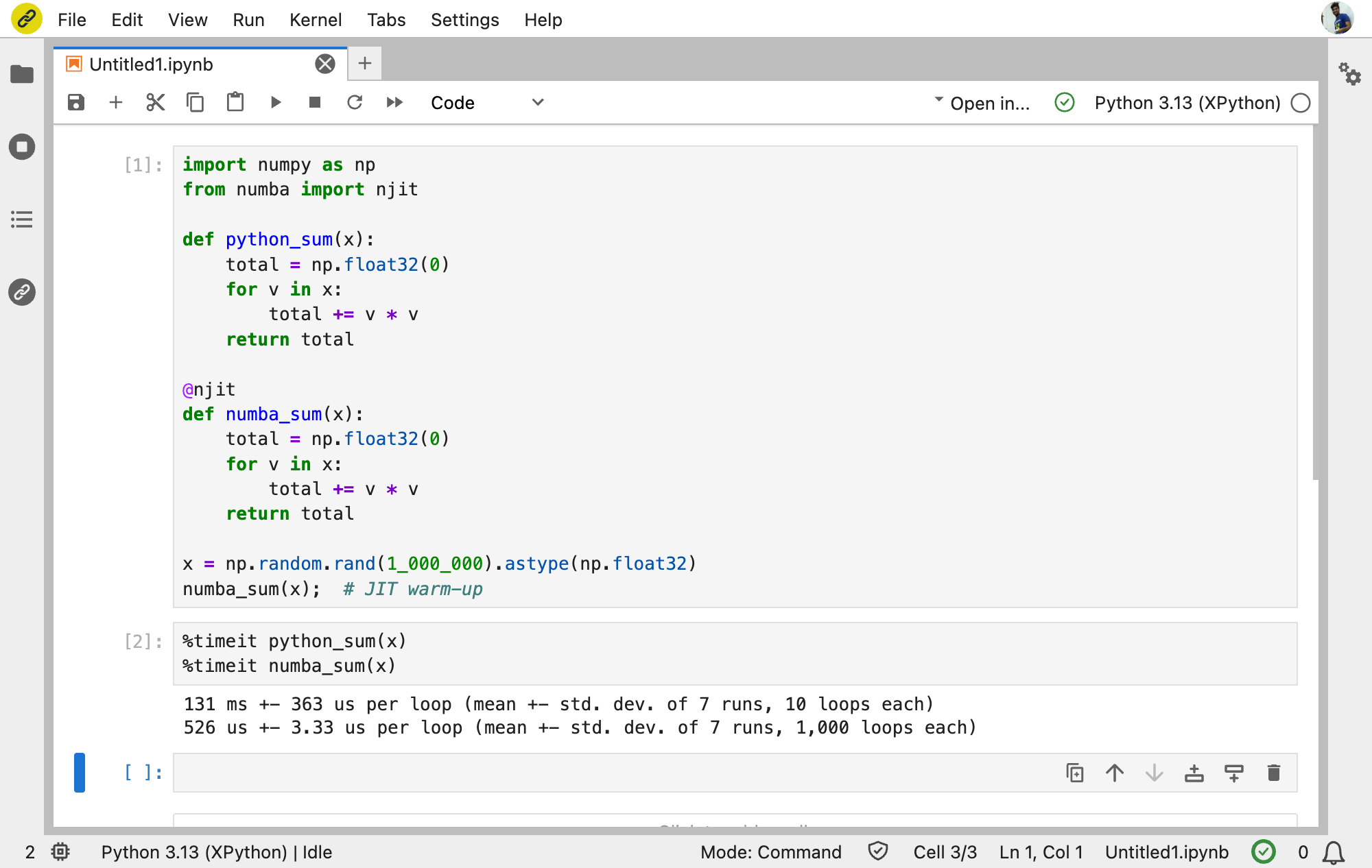
Numba in action in JupyterLite, showing a 249× speedup over standard Python.
In this example, Numba delivers a roughly 250× speedup in WebAssembly, compared with about 90× natively. The larger relative gain makes Numba especially compelling in the browser, where bypassing Python interpreter overhead can have an even greater impact.
This means that a Python function can be transformed into Numba's Intermediate Representation (IR), typed, lowered to LLVM IR, compiled into WebAssembly, dynamically linked, and executed—all without a remote Python server.
Try it here: Numba and its ecosystem in JupyterLite.