Learning with Robots in Jupyter


What could be more rewarding for an aspiring programmer than watching their code come to life in a robot?
This is the idea that Seymour Papert, pioneer of computer science education, championed when he co-created the Logo programming language in 1967. Children used Logo to steer a "turtle", a small robot that rolled across the floor following simple commands such as FORWARD 100 or RIGHT 90. In his 1980 book Mindstorms: Children, Computers, and Powerful Ideas, he argued that computers could put powerful ideas in children's hands rather than drill facts into their heads.
Unfortunately, capable robots, such as an educational six-axis arm, cost a few thousand euros, which rules out one per student. Consumer products such as toys may be the answer. They are mass-produced, affordable, and built to meet strict safety standards, which makes them well suited to a classroom full of children. Papert understood this well: he began collaborating with Denmark's LEGO as early as 1985. As a construction kit, LEGO offered something no ready-made robot could: the same bricks can become a vehicle, a crane, or an animal, so children design the robot they then program. In 1998, LEGO paid him tribute by naming its new robotics line Mindstorms, after his book, bringing programmable bricks into countless homes.
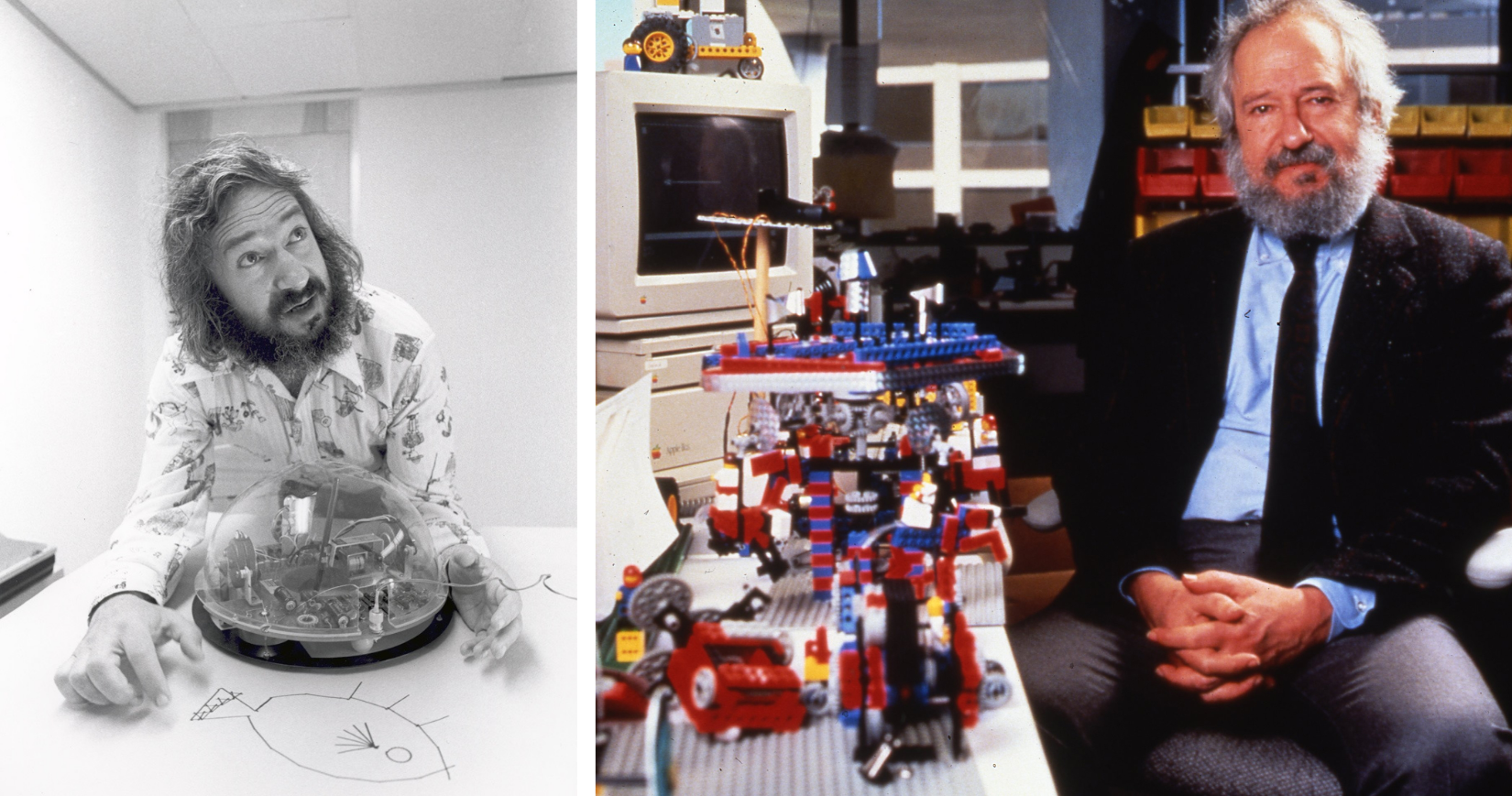
(Left) Portrait of Seymour Papert with a Turtle robot. From Wikimedia Commons, licensed under CC BY-SA 3.0. (Right) Portrait of Seymour Papert at the MIT Media Lab. Photo by Bob Kramer, from MIT News, licensed under CC BY-NC-ND per the MIT News image reuse policy.
From Logo to Notebooks
Papert's ideas have since followed two paths. Robotics kits kept the physical side alive, but they are programmed through their own apps, usually with graphical blocks. Meanwhile, programming in schools moved to general-purpose languages, and Python has become the one most students learn. Today, the Jupyter notebook has become one of the most popular tools for introducing programming in the classroom. The notebook format, mixing text, code, and rich outputs in a single interactive document, lends itself naturally to teaching computational thinking, that is, solving problems by breaking them down into clear, logical steps that a computer, or a person, can follow. The term was actually coined by Papert in his Mindstorms book, and later brought to prominence by Jeannette Wing.
In practice, however, Jupyter in the classroom almost always means a hosted platform. That works well for a single class, or even a university. But scaling Jupyter to every high school in a country is another matter: it means provisioning servers and providing computing resources for each user session, managing user accounts, storing student data, and keeping an operations team on call, with costs that grow with every new cohort. This is where JupyterLite comes in: a Jupyter distribution that runs entirely in the browser. There is no server to operate and nothing to install: notebooks, kernels, and interactive widgets are served as static files and executed locally via WebAssembly. Scaling to all the students of a country becomes a matter of serving static files behind a URL; any student with a browser can be running Python within seconds.
JupyterLite already powers large-scale educational deployments, as well as the "Try Jupyter" page on jupyter.org. It is also the engine behind Notebook.link, which institutions can also deploy on their own infrastructure.
Robots in the Browser
There is one catch: the browser sandbox that makes this model so scalable is also designed to keep web pages away from the hardware around them, which seems to rule out exactly the kind of robots we started with. Browsers, however, have gradually gained APIs for talking to devices directly, always with the user's explicit permission. One of them, Web Bluetooth, specified by the W3C Web Bluetooth Community Group, lets a web page communicate with Bluetooth Low Energy devices, with no driver, no install, and no server. Bluetooth Low Energy happens to be how many consumer robots, LEGO's included, are controlled. The specification is still a draft, and it is currently implemented only by Chromium-based browsers, such as Chrome and Edge.
Building on Web Bluetooth, we developed two tools that bring the robot and the notebook back into the same world.
The first tool is jupyter-bluetooth-manager, a generic Jupyter extension for discovering and managing Web Bluetooth devices. The following video shows how to connect a compatible and registered Bluetooth device (the Move Hub in our case) within the Jupyter interface.
The second tool is jupyter-movehub, which builds on the Bluetooth manager to drive the "LEGO Move Hub", a programmable brick. The extension ships with both a simple graphical remote control UI and a Python API, which communicates via the Jupyter Widget protocol. This lets students graduate from driving their robot with a joystick to steering it with their own code.
Connection using the launcher
The following video shows how to connect a device using the Move Hub launcher and how to select a build (a robot model) to display the dedicated remote control dashboard.
Connection with the ipymovehub widget
The following video shows how to connect a device using the Python API from the ipymovehub widget.
If you know a kid who owns a LEGO "Boost Creative Toolbox" (17101) or "Droid Commander" (75253) set, they can pair their Move Hub and drive it with Python right now by opening this notebook link in Chrome or Edge. They can also use the visual control panel shown earlier.

Synchronous and Asynchronous Programming
The Python API supports two styles. Students can operate the robot synchronously, in a procedural fashion where each command completes before the next one starts, which is the natural place to begin. They can also control it asynchronously with modern async/await syntax, which allows finer-grained chaining and cancelling of actions.
Synchronous example and task cancellation
The following code snippet corresponds to a case where the two motors A and B are running in oposite directions.
task = widget.motor_angle_multi(angle=4000, power_a=50, power_b=-1.0 * 50)
And then, in a second cell:
task.cancel()
The following video illustrates this, with a translation task, followed by a long rotation task that is cancelled.
Asynchronous example
The following code snippet defines a chain of three tasks: a translation, a rotation in one direction and a rotation in the other direction.
await widget.motor_angle_multi(angle=400, power_a=50, power_b=50)
await widget.motor_angle_multi(angle=900, power_a=50, power_b=-50)
await widget.motor_angle_multi(angle=900, power_a=-50, power_b=50)
The following video shows how the 3 previous tasks are asynchronously handled: each task is executed once the previous one has finished.
The support for top-level await relies on recent work on asynchronous execution in Jupyter kernels. IPython has long accepted await at the top level of a cell, but the kernel had to wait for the whole cell to finish before handling any other message, so a cell waiting on a widget could never receive the widget's reply. The newest releases of xeus-python and ipykernel instead run each cell as an asyncio task, which keeps the kernel responsive while the cell is waiting. For the robot, this is what makes the async API work: a cell can wait for the Move Hub to report that a motor has finished turning while the remote control stays live. (For the technical details, see our earlier post on async xeus-python.)
Beyond Robots
The architecture deliberately separates two concerns: everything that is generic about connecting to a Bluetooth Low Energy device lives in the jupyter-bluetooth-manager package, which knows nothing about any particular device. Everything more specific lives in the device-specific extension. This split makes the platform extensible. Supporting a new device means writing a small extension on top of the Bluetooth manager: declaring the device type, decoding its protocol, and exposing a control panel, a Python API, or both. The Move Hub is only the first instance of the pattern; a new robot is never more than an extension away.
Finally, nothing in this recipe is specific to robotics: any Bluetooth Low Energy device whose protocol is documented is a candidate. We are currently investigating Radiacode devices, pocket-sized scintillation detectors that stream dose rate, count rate, and a full gamma-ray energy spectrum over Bluetooth Low Energy. Devices like this turn a notebook into a small nuclear-physics lab: students could measure background radiation in their classroom, watch an energy spectrum build up channel by channel in a live widget, and identify isotopes from their emission lines, plotting and analyzing the data with the same Python they use for everything else. Since the open-source JavaScript library radiacode.js implements the Radiacode protocol, much of the low-level work is already done.
About the extension packages
The code of the extensions is available on GitHub:
Packages are available on PyPI:
The two extensions contained in jupyter-bluetooth-manager are available on npm:
About the authors
Florence Haudin is a software developer at QuantStack. She mainly contributes to the Jupyter ecosystem and to custom extensions. She worked on the development of the jupyter-bluetooth-manager and ipymovehub extensions.
Sylvain Corlay is the founder and CEO of QuantStack, and has been involved in the development of the Jupyter ecosystem for over a decade. He supervised the development of this work and wrote the blog post.
Acknowledgements
We would like to thank Tomi Tuhkanen for the work on the lego-boost-browser project, which implements the Move Hub Bluetooth protocol, and is vendored into jupyter-movehub (with modifications related to the device management). We are grateful to Thorsten Beier, also a software developer at QuantStack, for his earlier work on ipylgbst (a precursor to jupyter-movehub), and for his work on implementing support for top-level await in the xeus-python kernel, which underlies Notebook.link. We are grateful to David Brochart, who pioneered the work on asynchronous kernels, and implemented support for top-level await in ipykernel.
Trademarks and disclaimer
LEGO®, Mindstorms®, and Boost® are trademarks of the LEGO Group. Droid® is a trademark of Lucasfilm Ltd. Radiacode® is a trademark of Radiacode Ltd. This project and blog post are not affiliated with, sponsored, or endorsed by the LEGO Group, Lucasfilm, or Radiacode Ltd.