Introducing Notebook.link

Reimagining how you share, collaborate, and run Jupyter notebooks - all in your browser.

Sharing a Jupyter notebook has always been harder than it should be. You clone a repo, fight the environment, install conflicting dependencies, and hope the author didn't forget to pin their package versions. Half the time, you give up before the kernel even starts. Notebook.link fixes this. Open a link. Your notebook runs. That's it.
Built on JupyterLite, Notebook.link is more than just a notebook viewer: it’s a fully interactive, scalable, and language-agnostic computing environment that operates entirely in your browser. Whether you’re a data scientist, educator, researcher, or developer, Notebook.link eliminates the need for local installations or complex setups, allowing you to create, share, and execute notebooks effortlessly.
Why Notebook.link?
1. Lightweight, Fast, and Accessible
Notebook.link delivers instant access to notebooks, no server setup, software installation or configuration required. Simply follow a link and start working.
Notebook.link is powered by JupyterLite, a distribution of Jupyter running entirely in the Web browser, including language kernels and terminals. Unlike traditional JupyterLite deployments, your content is persistently stored in the cloud, enabling long-term projects without losing progress.
2. Scalable and Powered by WebAssembly
Under the hood, Notebook.link leverages emscripten-forge, a WebAssembly software distribution built on the conda ecosystem (using mamba and rattler), and hosted on prefix.dev. This brings the full power of scientific computing to your browser, supporting Python, R, GNU Octave, and C++, all in one unified environment.
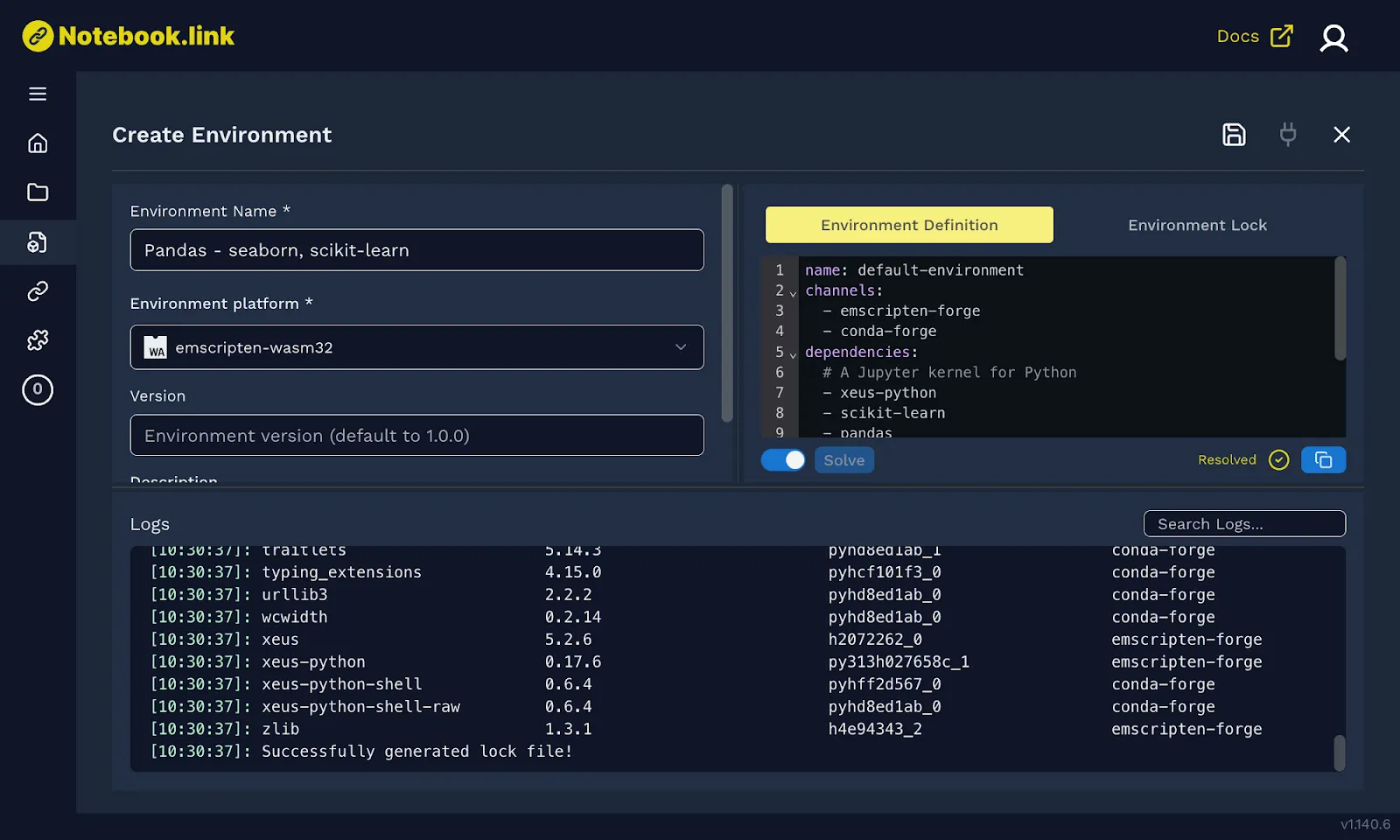
Our distribution extends beyond the Python programming language, with support for R, GNU Octave, C++, as well as console applications, making it a unified solution for the entire scientific computing community.
3. Multi-Language Support
Thanks to the xeus kernel ecosystem, you can write and execute code in your preferred language, all within a single platform:
Python (via xeus-python) R (via xeus-r) C++ (via xeus-cpp) GNU Octave (via xeus-octave) Write, test, and share code in your preferred language, all within a single platform.
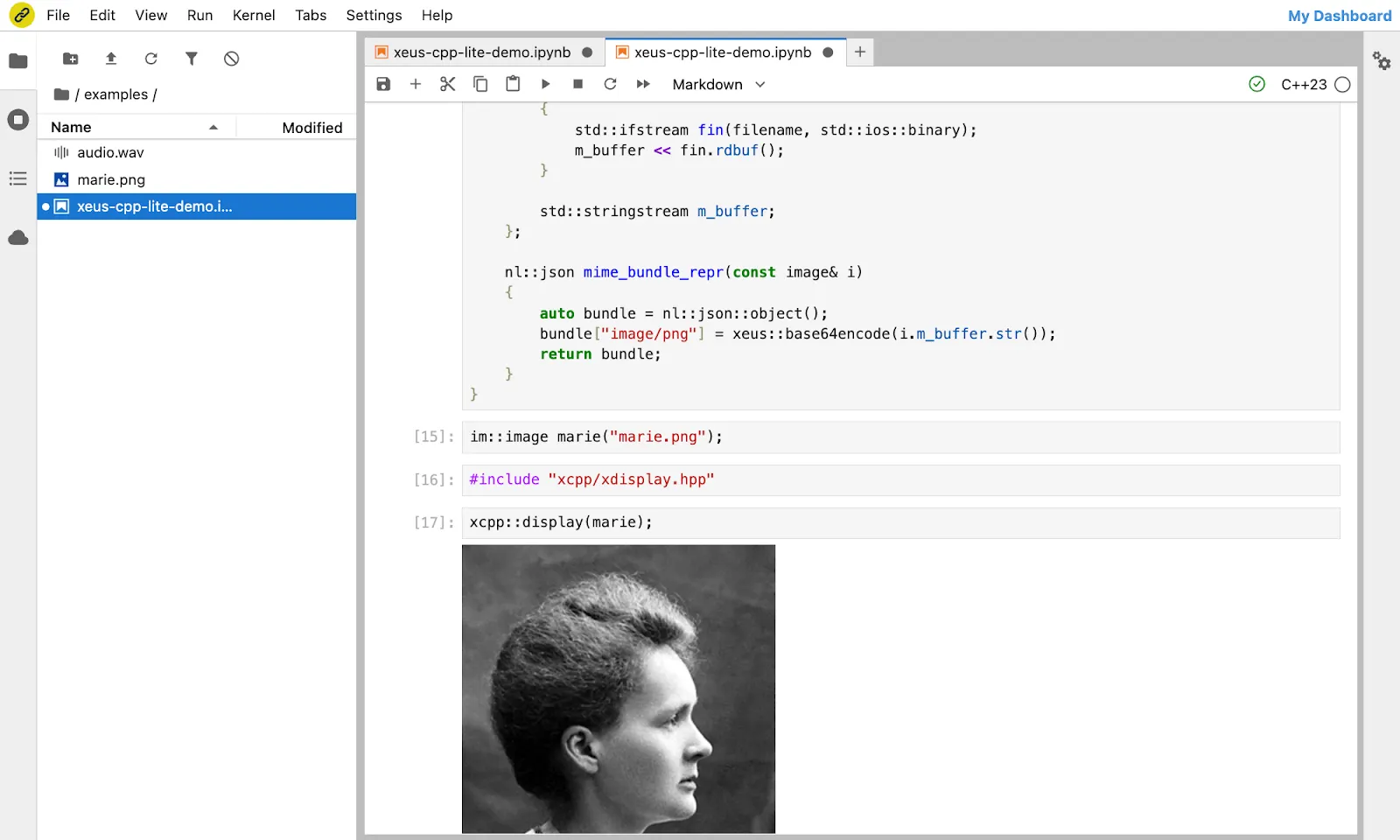
Therefore, the scope of emscripten-forge and Notebook.link expands beyond that of Pyodide (Python) or WebR (R). It is a consolidated software distribution for WebAssembly addressing the whole scientific computing community.
4. A Fully-fledged in-Browser Terminal Experience
Need to run shell commands? Notebook.link includes an in-browser terminal that emulates bash, complete with WebAssembly builds of essential Unix commands like sed, grep, cat, and even vim and nano, bringing the essential developer tools to your Web browser.
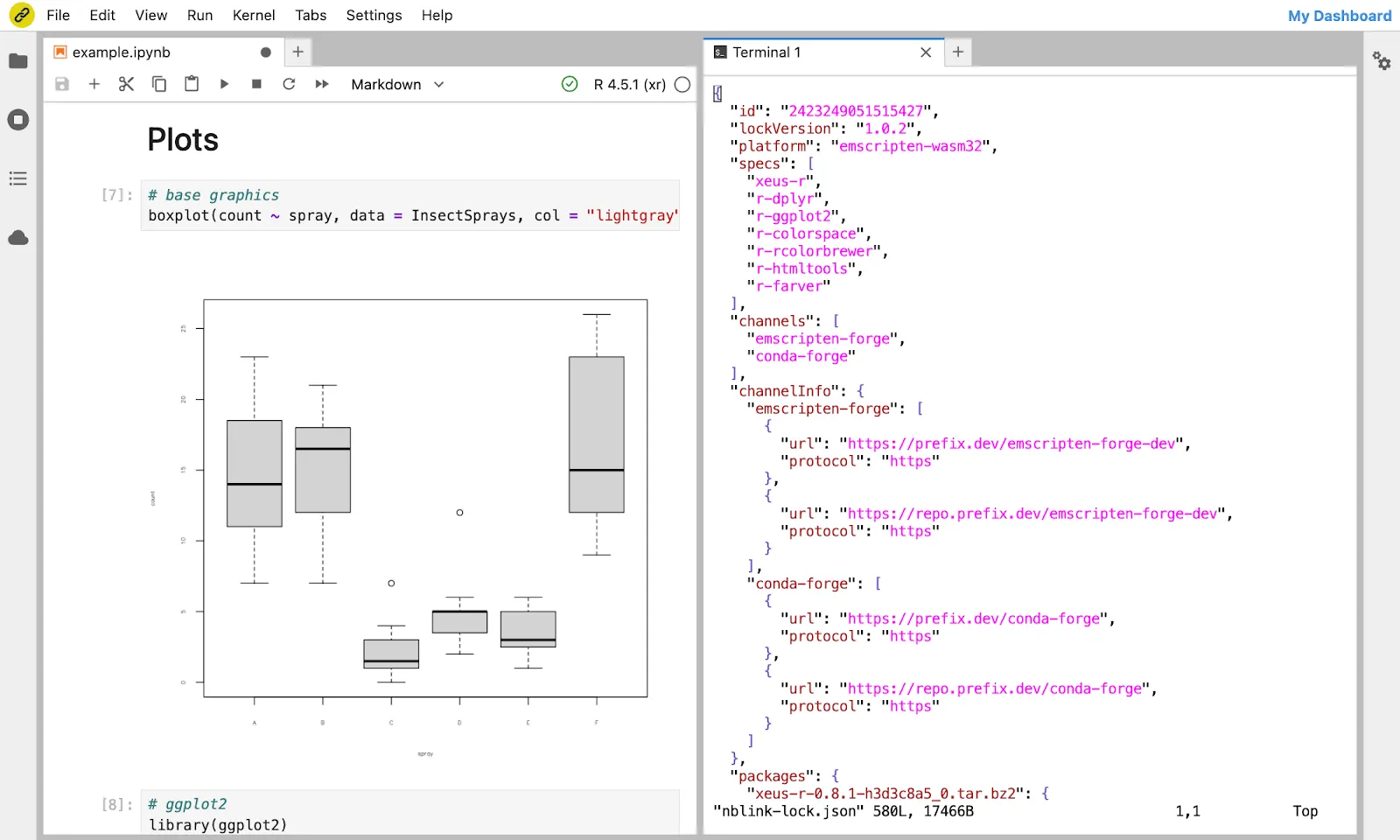
We are not stopping here. Soon, you’ll be able to clone, commit, and push directly from the browser, making collaboration even smoother.
5. Permalinks for Seamless Sharing
You can generate permalinks for any notebook, whether created on Notebook.link or hosted on GitHub. Say goodbye to “it works on my machine” issues. Share a permanent link, and anyone can run your notebook instantly.
Multiple sharing options are available:
Links to a full JupyterLab UI, with a tiled layout and all the advanced features of the JupyterLab environment. Links to a single-document view, providing a full-page Jupyter notebook interface. Links to a presentation view, turning notebooks into blog posts by removing distracting UI elements. You can explore the following demos:
R language demo

Experience R in a Jupyter environment using the xeus-r kernel, running entirely in your browser.
Jupyter Games

Tiny games and simulations built using Box2D and its Python bindings, pybox2d, and rendered with ipycanvas, utilising the presentation view.
In-browser C++ development

Discover the capabilities of the C++ Jupyter kernel, including rich display and interactive help. Write and execute C++ directly in your browser.
6. An AI Assistant for Notebook.link
Enhance your workflow with JupyterLite-AI, an integrated AI assistant compatible with most LLM providers. Import your API key and enjoy an augmented development experience with features like in-browser tool calling — which are based on the JupyterLab.
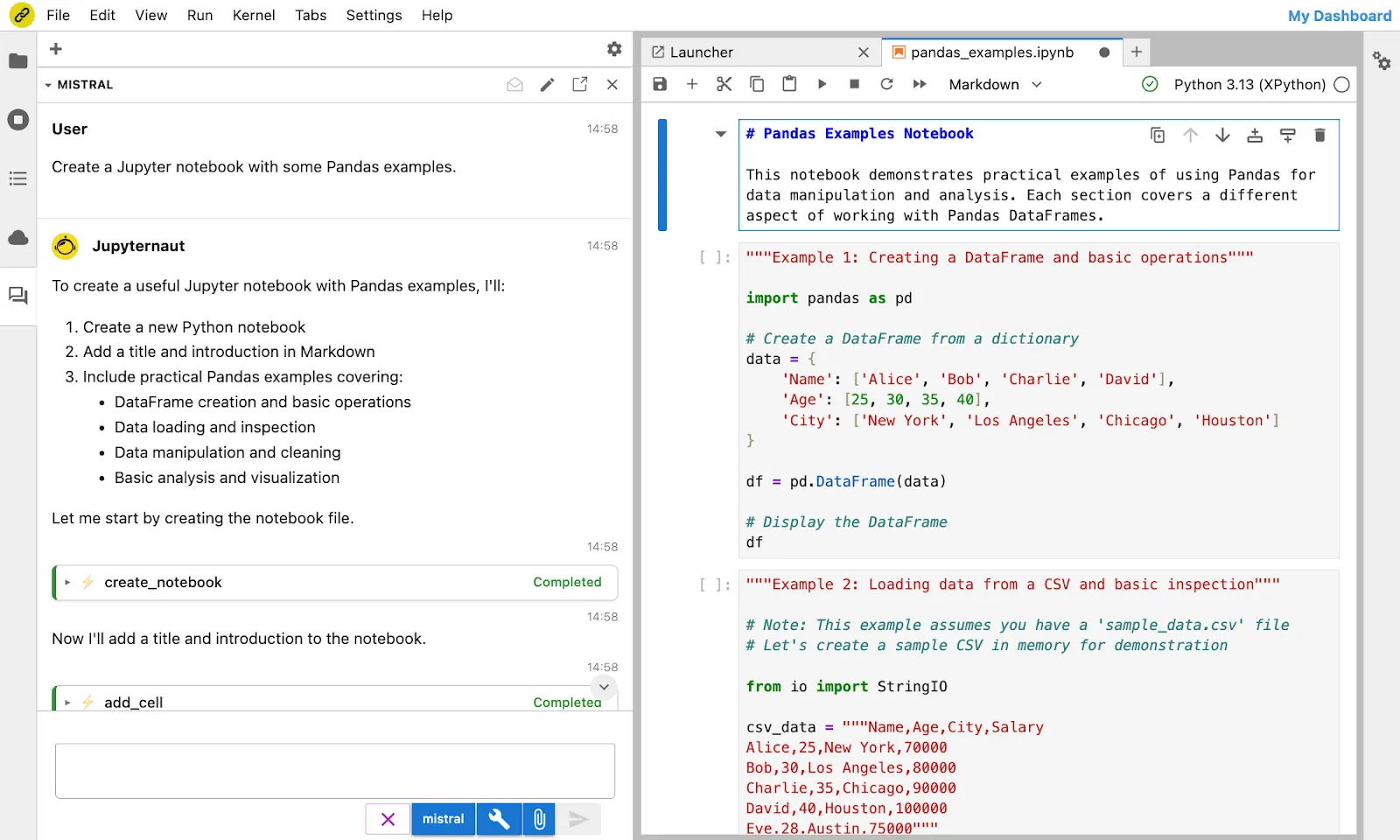
The JupyterLite-AI interface, powered by Mistral AI’s Devstral model.
Custom Deployments for Institutions
We offer tailored deployments for universities, research labs, and enterprises. Host your own instance of Notebook.link, supporting both WebAssembly-based and classical Jupyter kernels, for seamless integration with existing workflows.
Unlike traditional JupyterHub deployments, where users wait for the environment to initialize, Notebook.link delivers an instant, interactive UI. Users can explore notebooks, browse files, and start working immediately, even while the kernel environment finalizes setup. This setup, based on the Jupyverse project, creates a frictionless experience for collaborators.
Interested in a custom deployment? Contact us at notebook@quantstack.net for inquiries and pricing.
A Long-Term Commitment to Open-Source
Notebook.link stands on the shoulders of open-source giants, built upon the foundational work of the Jupyter community.
For over a decade, QuantStack has been a dedicated advocate and contributor to this ecosystem. Our commitment remains unwavering: we will continue to support and advance open-source innovation, just as we have done for years.
Our team includes more than 10 full-time contributors to the Jupyter project and ecosystem, and we actively maintain and enhance other critical components of the scientific computing ecosystem, such as Apache Arrow, conda-forge, mamba, and Xtensor.
At the heart of Notebook.link is JupyterLite, a cornerstone technology developed by QuantStack since 2021 and recently transferred to Jupyter governance. We are proud to uphold our tradition of leadership and collaboration, ensuring the continued growth and accessibility of these essential tools.
